What Happens to Someone’s Personal Information After They Die?
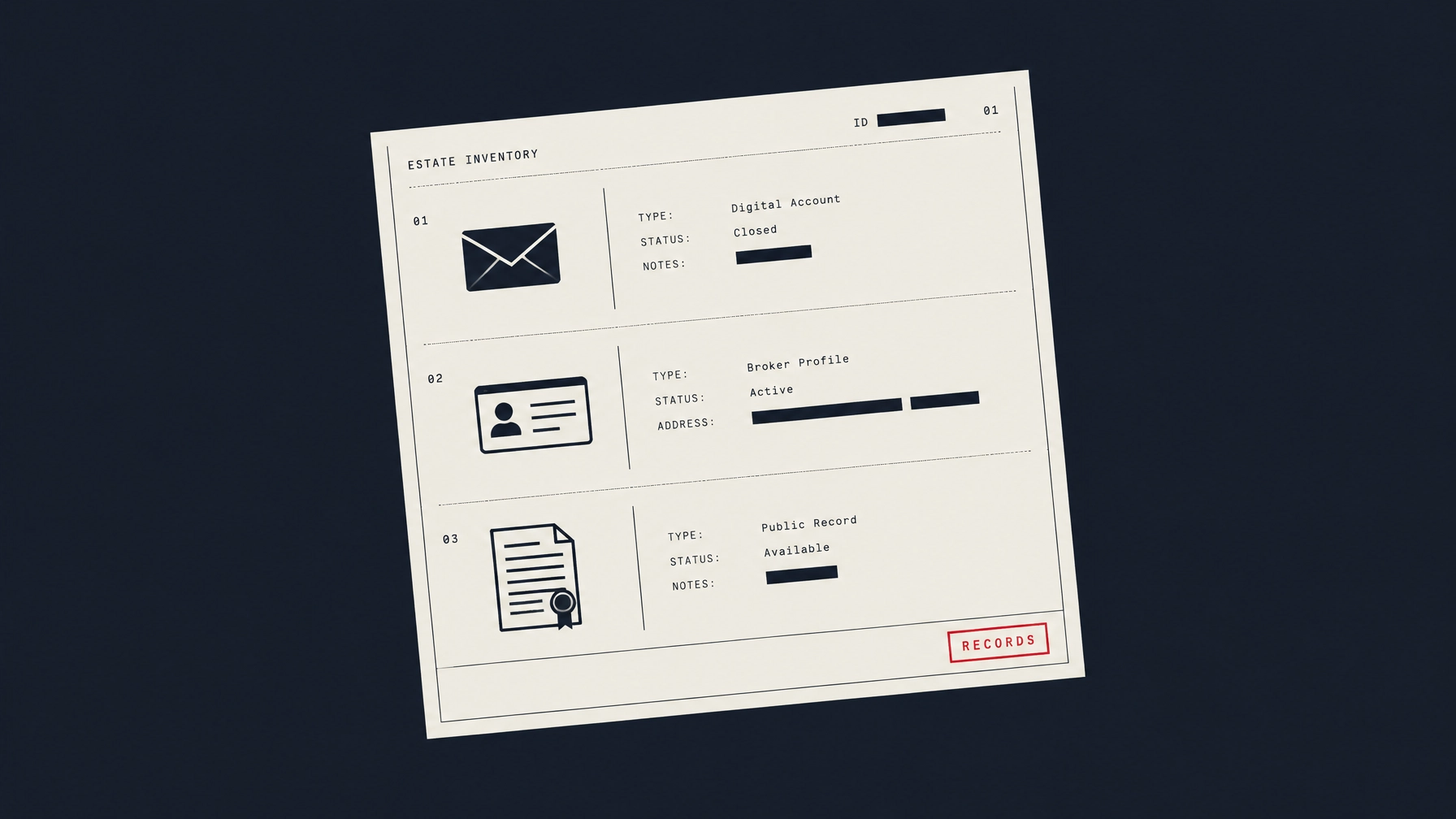
After a death, families are already handling paperwork and practical decisions. Then a search of the person’s name may bring up social profiles, people-search listings, old addresses, or photos. These can remain online because accounts stay open, data brokers retain profile information, and public records generally remain available.
Some of this information can be addressed. Some cannot. The practical way to start is to separate the issue into three layers: accounts the person controlled, data broker listings, and public records. Each layer has a different process, and some records cannot be removed at all.
1. Accounts the person controlled
Social media platforms may offer two options for an account after a death: memorialization or deletion. With memorialization, a profile may stay visible in a limited form and be marked as belonging to someone who has died. Deletion requests ask the platform to remove the profile. The exact options and effects vary by platform.
Requests commonly require proof of death, such as a death certificate or obituary link. A platform may require a verified immediate family member or someone with legal authority over the estate to request deletion. It generally will not give relatives the account password.
Some platforms let a user name a legacy contact in advance. Where available, that person can take limited actions on a memorialized profile, but does not become the account owner or receive unrestricted access. Check the platform’s current help page before submitting a request. Requirements can change.
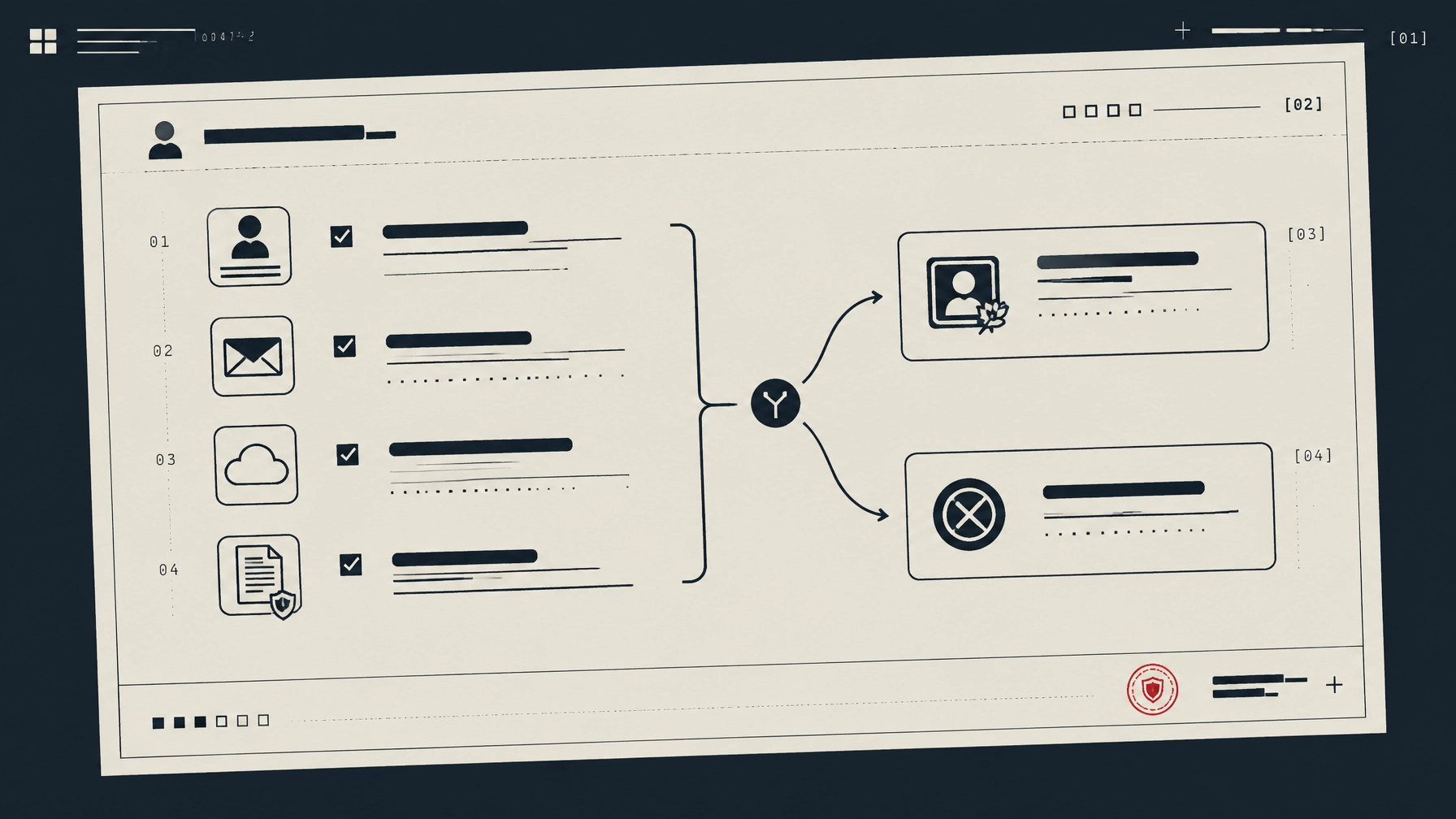
Email and cloud accounts have their own processes. A service may ask for documentation and proof that the requester is authorized. Some services let people set an inactivity or legacy contact in advance. That can make it easier for a trusted person to manage selected information later. Consider setting up those options for your own accounts while you can.
2. Data broker and people-search listings
A deceased person’s data broker listing may remain visible after their death. Profiles can include address history and relatives, and surviving family members may appear on the same profile. Information can also show up in more than one listing.
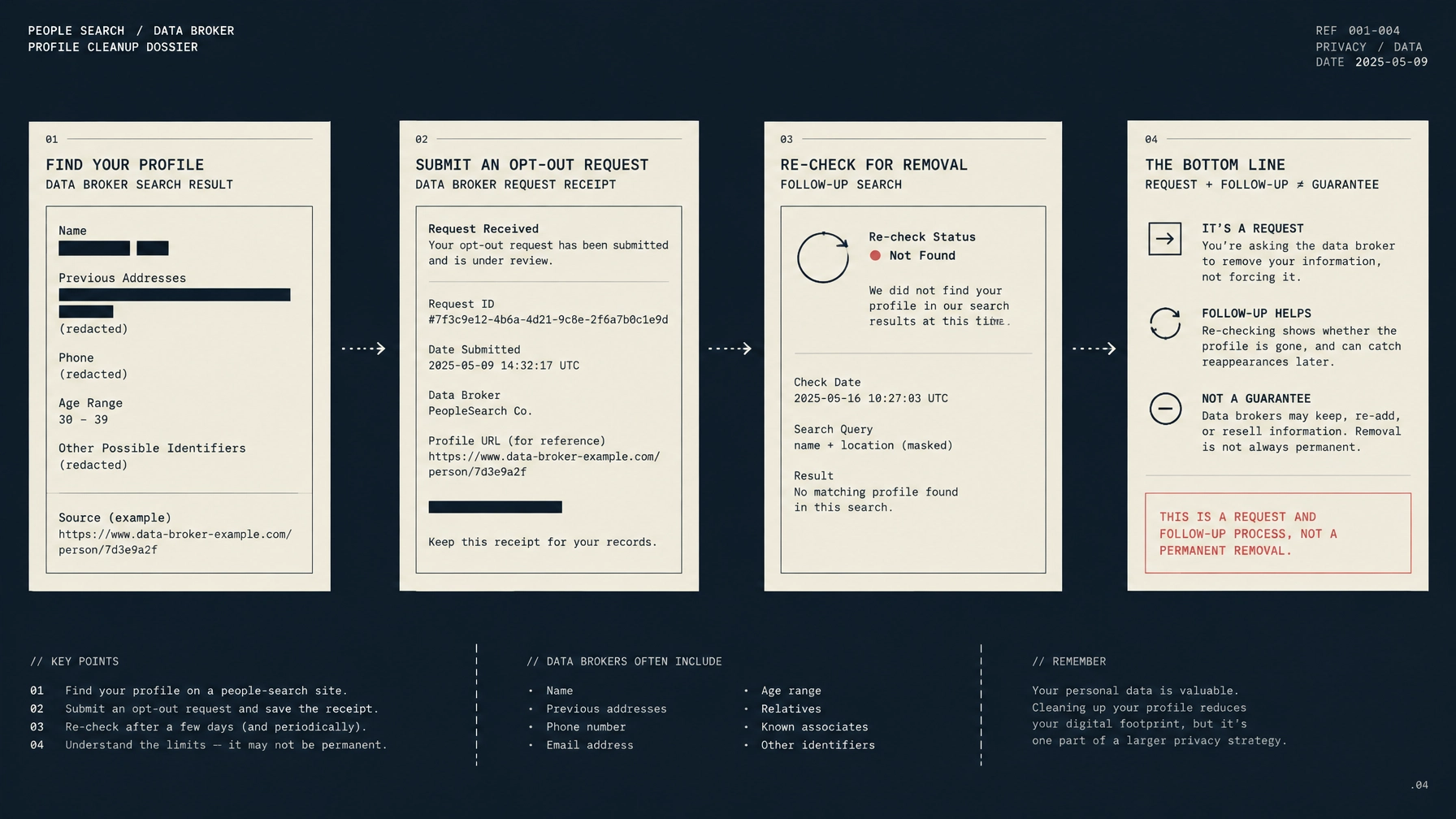
For each listing you find:
- Save the specific profile URL.
- Look for the site’s own opt-out or removal process.
- Check whether it accepts a request from someone acting for another person.
- Follow its instructions and keep a record of what you sent.
Some sites may accept a request on behalf of a deceased person and ask for supporting documents. Others may only accept requests from the person named in the profile. Do not assume a site will accept a third-party request. Outcomes vary, and a site may decline.
Removing one listing does not remove copies on other sites or change the records a broker used to create its profile. Listings can also reappear. Keep the URLs and request dates, and plan to check again later.
3. Public records and legal limits
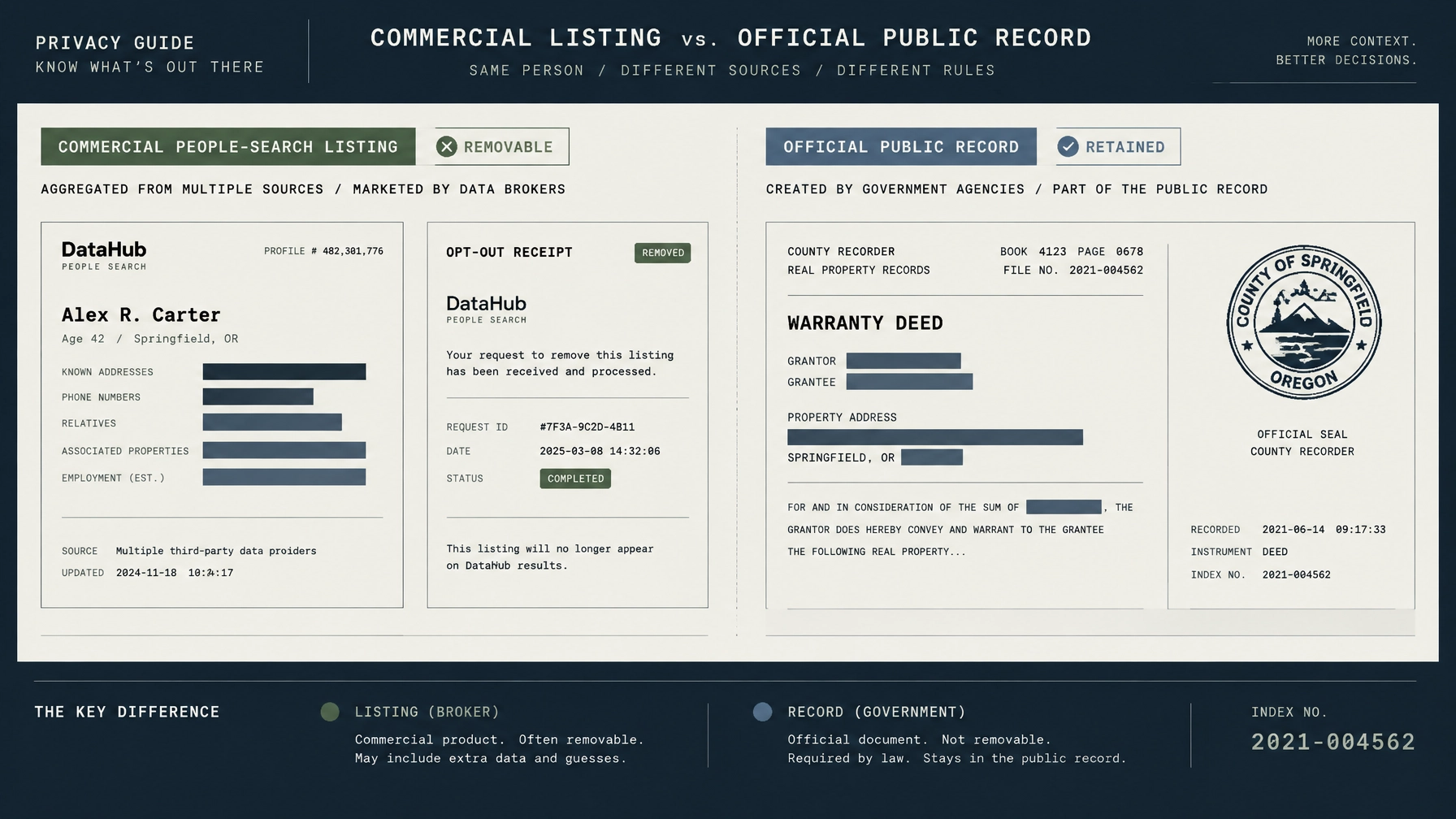
Deeds, court records, and other public records generally remain available under the rules that govern those records. Removing a people-search profile does not remove an underlying record held by a government office.
Privacy rights are also not always transferable after death. In many states, rights are personal and do not automatically pass to relatives. Some states allow an authorized agent to act under certain conditions, but processes vary. Check state law or ask an attorney or the estate representative about the specific situation.
This article provides general information, not legal advice.
4. Coordinate through the estate
The executor or personal representative is usually the person who can establish authority to act on accounts and digital assets. The applicable process may depend on the service, the estate documents, and state law.
A simple inventory can help keep the work manageable. List known email and social media accounts, cloud storage, devices, subscriptions, and profile URLs. Keep death certificates and documents showing authority available for requests. Share only the documentation a service asks for, and avoid sending extra sensitive information.
Record each request, the date submitted, any reference number, and the response. Check whether the will or state law addresses digital assets. If you are unsure who can make a request, ask the estate representative or an attorney.
5. Check the family’s exposure too
A listing about the deceased may also show surviving relatives or shared addresses. After handling the person’s listings, consider checking your own name and address information as well.
Be thoughtful with personal details when contacting services. Families may also want to watch for unexpected accounts or requests opened in the deceased person’s name and notify relevant financial institutions if something appears suspicious. These are practical precautions, not a reason to assume misuse has occurred.
What to do first this week
- Gather the death certificate and any estate documents that may show who is authorized to act.
- Handle accounts with the widest reach first, using each platform’s current bereavement or account request process.
- Work through the specific people-search and broker profile URLs you can find.
- Ask the executor or personal representative which requests they can submit.
- Set a reminder to re-check submitted requests and listings later.
Check your own information
TraceKill can help surviving family members check their own exposure. Its free scan uses a name and location to check monitored data broker and people-search sources for likely matches. No account or payment card is required. Results vary by source, and the scan is not a complete inventory of information online. TraceKill cannot act on behalf of a deceased person and does not handle estate or account matters.
For living customers, TraceKill offers a $9.99 removal guide and an $8-per-month plan with help submitting supported opt-out requests and monthly re-checks where public verification is available. Coverage, processing times, and results vary by source. Listings can return, so re-checking matters.
If you want to check your own name, start a free scan. You can also learn more about TraceKill or browse the privacy guides.
Last verified: November 2026. Broker opt-out processes change often — confirm the current steps on the live page before relying on them.
Free scan — no account required
This is one site. There are hundreds more.
Run a free scan to see which monitored sources list you — no card, no account, results in real time as each broker reports back. Do the opt-outs yourself with our guides, or let us file them for you on a paid plan and re-check month after month. We'll never tell you we erased you from the internet.
No credit card · No account · AES-256 encrypted
Keep going
Selling Your Home? Your Old Address Could Remain Online Long After the Sale
You sold the house, moved, and months later a search of your name still shows the old street. That can happen because a sale creates public records, and other websites may copy or combine information from them. You can take steps to address some of those online copies. The right step depends on where the…
A Data Broker Rejected Your Removal Request. Here’s What to Do
You submitted an opt-out request, received a rejection, or heard nothing back. The listing is still there. That does not always mean you are out of options. Most rejected opt-out requests fall into four categories. The first three are often fixable with a careful follow-up. The fourth may not be: a site might have a…
Your Data Is Being Used to Make Predictions About You. Here’s What That Means
A company you have never heard of may hold a guess about your income, your health, or whether you are about to move. That guess is an example of profiling: drawing conclusions from data rather than simply storing it. The guess may come from bits of information collected across different places. It may be incomplete…