Someone With Your Name Has an Online Profile. How Do You Know It’s Really You?
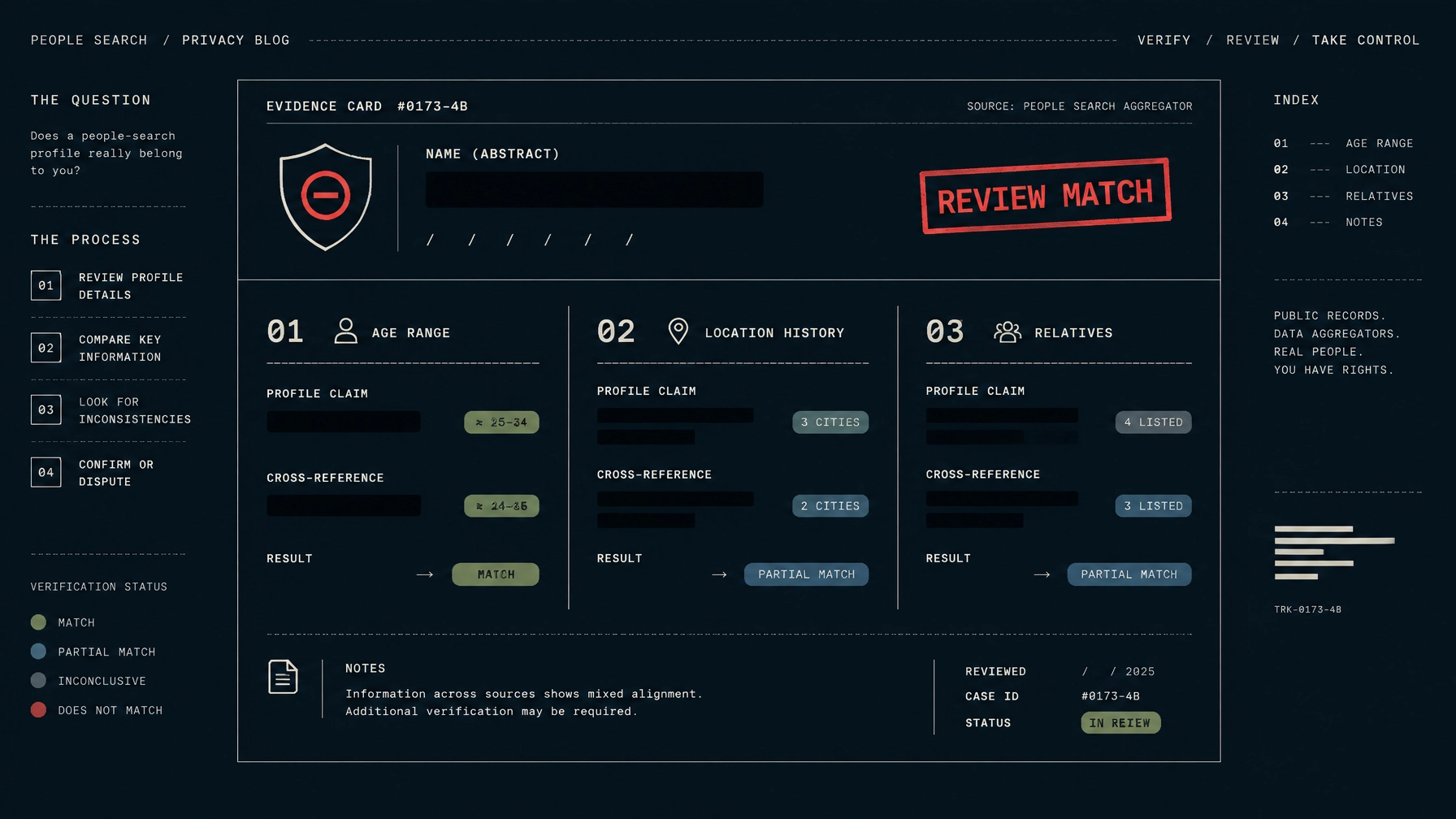
You search your name and find a people-search profile that looks familiar. But does it actually describe you, or someone who shares your name?
Name matches are clues, not proof. Before you ask a site to remove a listing, compare several details and make sure you have the right profile. That can save you time and help avoid filing a request about another person’s information.
Why profiles get mixed up
People-search sites and data brokers gather information from multiple sources and try to connect records they believe belong to the same person. Those records can include different name spellings, addresses, phone numbers, and other details. The result may be incomplete, outdated, or incorrectly combined.
Common reasons profiles get confused include:
- Common names. Two people with the same name may live in the same city or state.
- Name variations. A record may use a nickname, maiden or former name, middle name, middle initial, or spelling variant.
- Shared locations. People may have lived in the same city, apartment building, or household at different times.
- Different records joined together. A broker may link records based on overlapping details, even when those details do not all belong to the same person.
- Separate listings for one person. A name variation, old address, or different set of records may create more than one profile.
Brokers themselves describe cases where differences in spellings, initials, addresses, or combinations of information can result in separate reports. For example, PeopleLooker explains why multiple reports may appear.
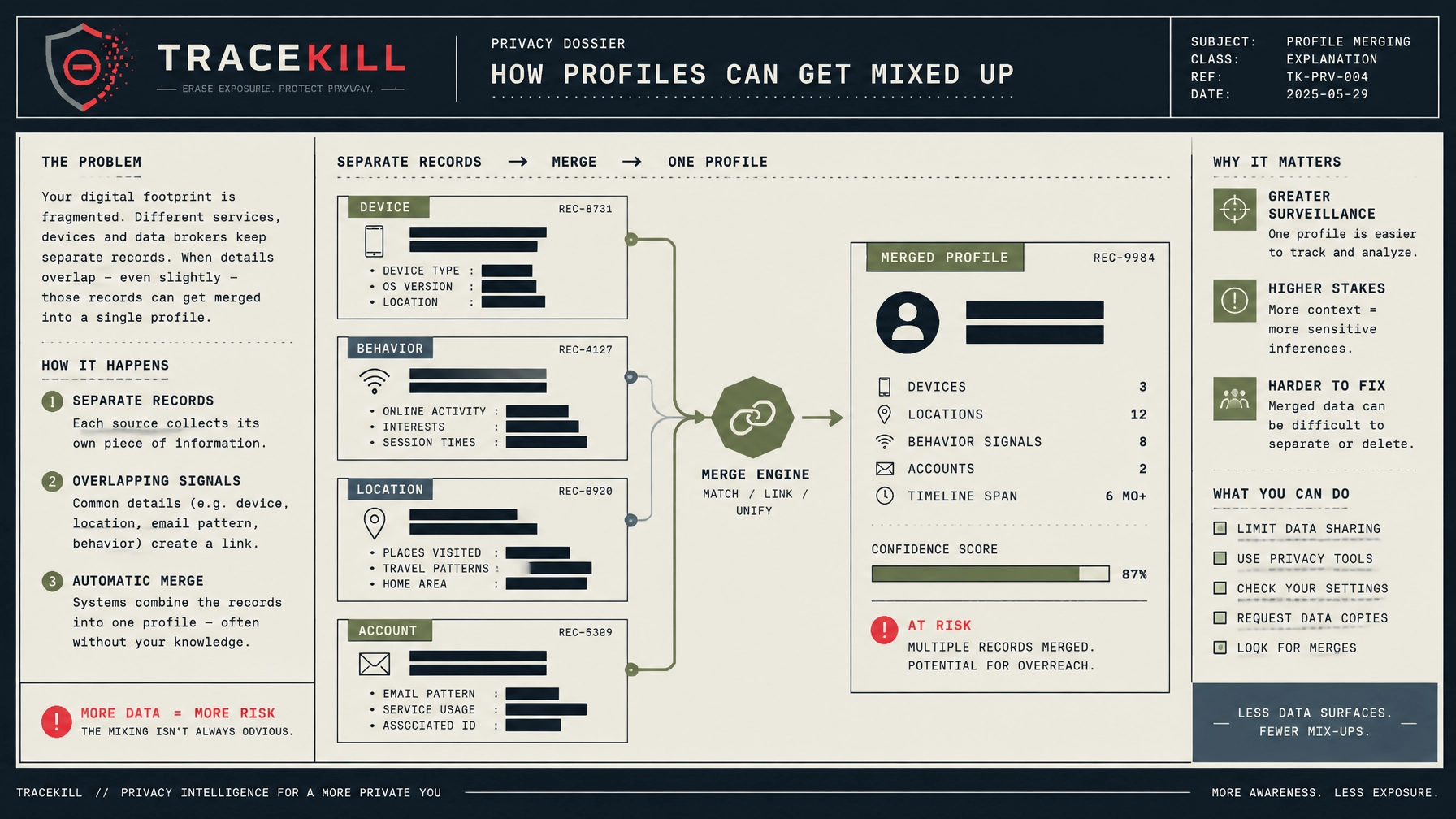
Why checking first matters
An opt-out request is meant to address a listing that belongs to you. If you submit one for a wrong people search profile, you may spend time verifying and following up on a record that is not yours. Depending on the site’s process, you could also request suppression of another person’s listing.
And removing the wrong profile does not protect your own. Your profile may still appear separately, including under another name variation or address.
Incorrect data broker information can also create confusion for anyone who searches your name, including family members or employers. People-search profiles are not necessarily authoritative records. The Privacy Rights Clearinghouse explains how people-search information can come from public and semi-public sources, and why its accuracy and removal options can vary.
How to check whether a profile is yours
Use more than the name. Compare details across the profile and your own history. No single field proves a match, and profiles can be incomplete or outdated.
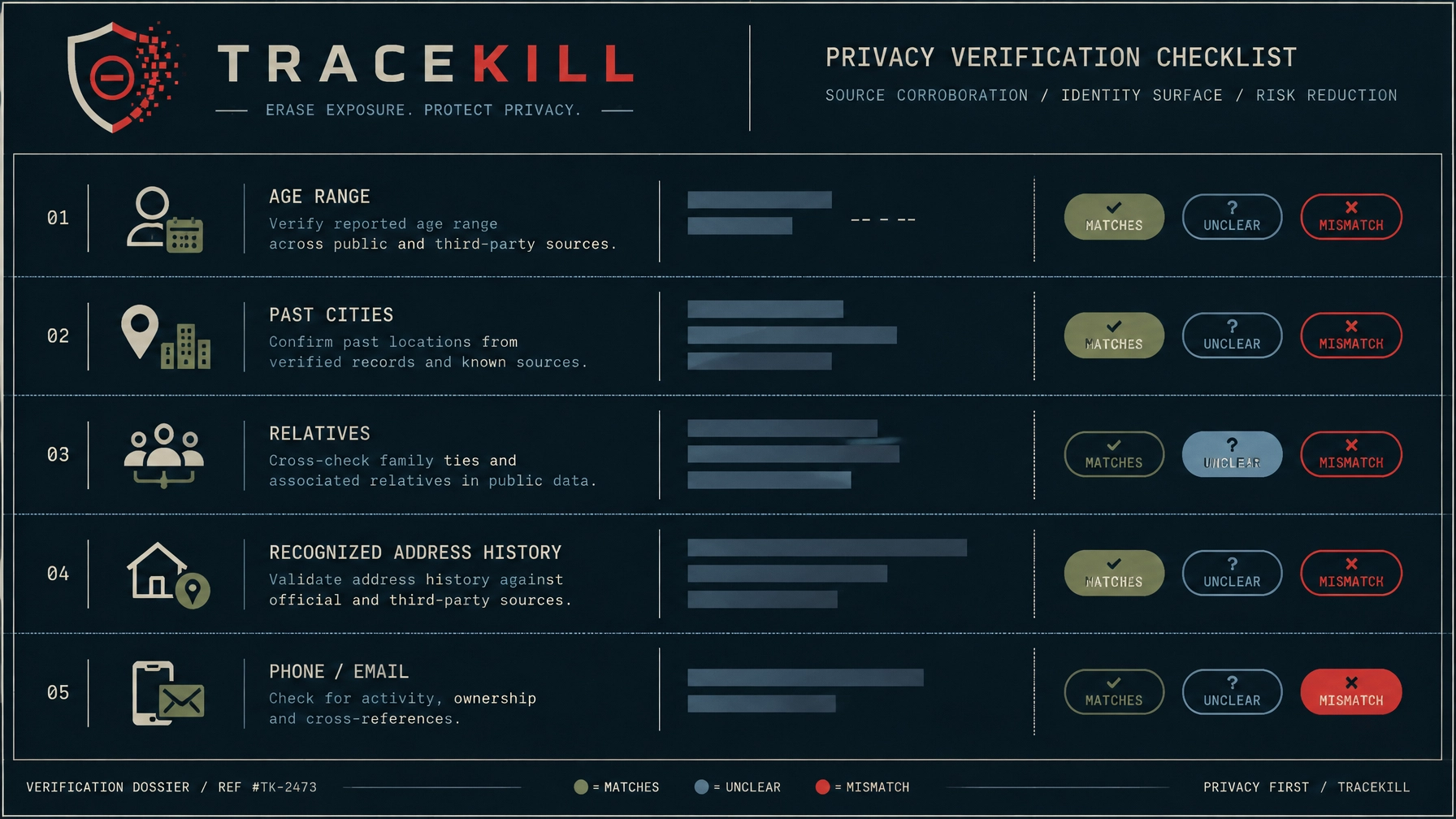
Review these details
- Age or age range: Does it fit your age and timeline?
- Current and previous cities: Have you lived in those places, and do the dates make sense?
- Relatives listed: Do you recognize the people named, and do the relationships fit?
- Address history: Are the addresses familiar? Does the order and timing make sense?
- Phone or email details: Do you recognize the number or address, even if the site displays only part of it?
Look for multiple consistent details. A name and a shared city alone are weak evidence. A familiar address and a recognized relative may make a match more likely, but still review the rest of the profile. One correct detail does not mean every detail is correct.
A missing detail is not proof that a profile is someone else. The broker may have an incomplete record, or it may not have updated an old one. Likewise, a wrong address or unfamiliar relative may indicate a mixed profile rather than a complete mismatch.
Quick review: Mark each detail as matches, does not match, or unclear. If the name is the only match, leave the profile unverified.
If the profile is not yours
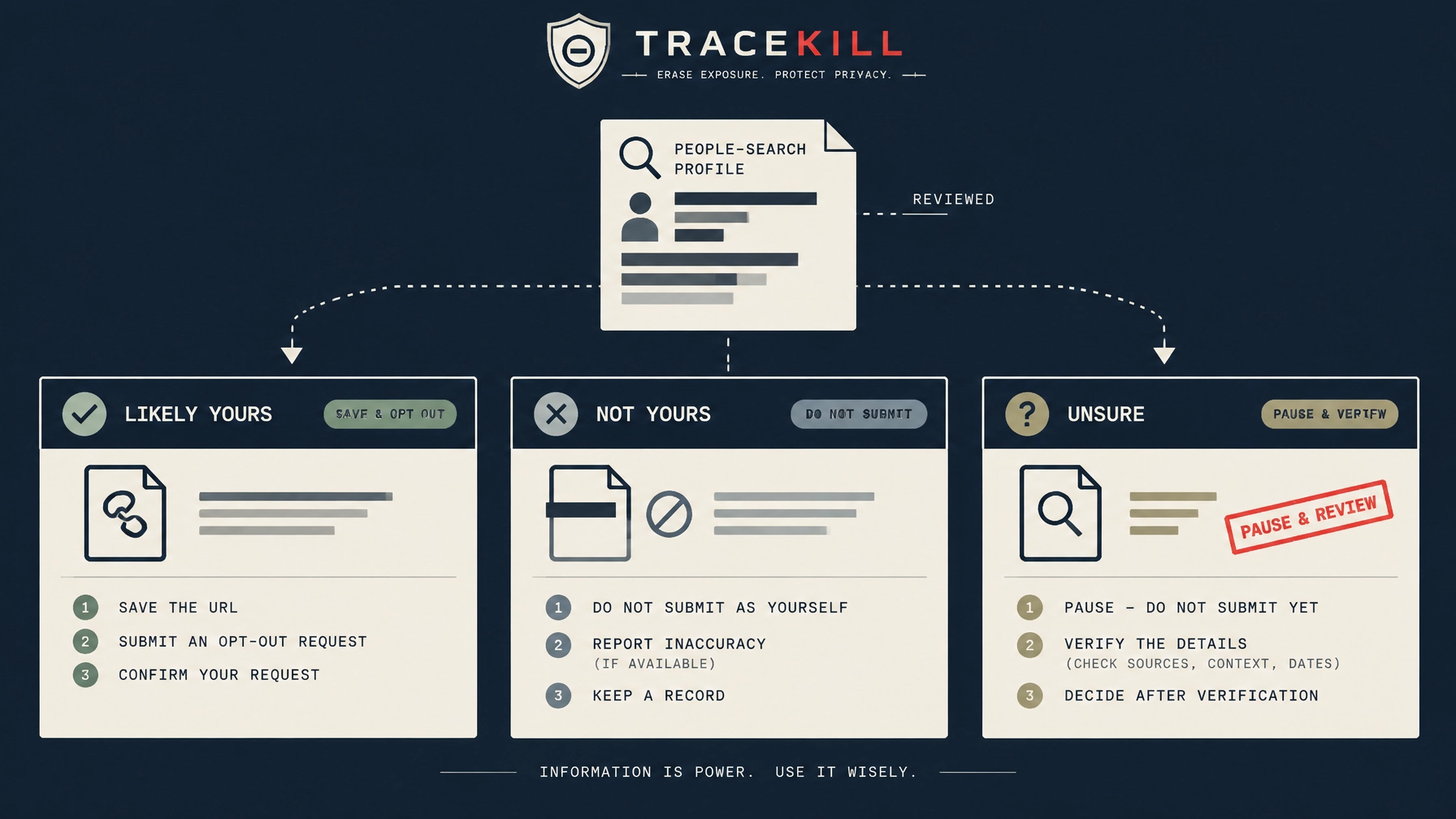
Do not submit an opt-out request as if you were the person in the profile. Instead:
- Save the details. Note the site, profile URL, date, and the fields that do not match. Avoid collecting or sharing more personal information than needed.
- Look for an inaccuracy-reporting option. Some sites let visitors report incorrect information or request a correction. Use the site’s official privacy or support page.
- Pause if you are unsure. If you cannot tell whether the listing is yours, do not guess. Leave it alone until you can check more details.
Keep requests on the site’s official domain. Some opt-out processes ask for additional information to verify identity, and procedures vary by source. Only provide what is necessary for a request you have confirmed is about you.
If the profile is yours
Once several details point to you, follow the site’s current opt-out process. Save the profile URL before submitting, then keep a simple record of the date, confirmation, and any follow-up.
Also check for duplicate online profiles on the same site. One may use a nickname or former name; another may show an old address. If each profile matches your history, you may need to submit a separate request for each one. Site procedures differ: some let you remove multiple records online, while others ask you to contact support.
TraceKill’s guides can help you review the steps for Whitepages, Spokeo, and BeenVerified. Check the site’s current instructions before acting, since opt-out processes can change. An opt-out can reduce exposure on a specific site, but listings may reappear and information may remain available elsewhere.
Use a scan as a starting point
TraceKill’s free scan checks monitored data-broker and people-search sources using your name and location. It requires no account or payment card. The results show likely public profile matches, not confirmed identities. Review each result against details you recognize before taking action.
If you choose to continue, TraceKill offers a $9.99 removal guide or an $8/month monitoring plan with monthly re-checks and supported opt-out help. Coverage, results, and processing times vary by source. A removal request is not a guarantee that every listing will be removed, and a listing can return.
The practical next step is simple: check likely matches, verify the details, then act only on profiles that appear to be yours. Start at the free scan, or learn more about TraceKill.
Last verified: November 2026. Broker opt-out processes change often — confirm the current steps on the live page before relying on them.
Free scan — no account required
This is one site. There are hundreds more.
Run a free scan to see which monitored sources list you — no card, no account, results in real time as each broker reports back. Do the opt-outs yourself with our guides, or let us file them for you on a paid plan and re-check month after month. We'll never tell you we erased you from the internet.
No credit card · No account · AES-256 encrypted
Keep going
What Happens to Someone’s Personal Information After They Die?
After a death, families are already handling paperwork and practical decisions. Then a search of the person’s name may bring up social profiles, people-search listings, old addresses, or photos. These can remain online because accounts stay open, data brokers retain profile information, and public records generally remain available. Some of this information can be addressed.…
Selling Your Home? Your Old Address Could Remain Online Long After the Sale
You sold the house, moved, and months later a search of your name still shows the old street. That can happen because a sale creates public records, and other websites may copy or combine information from them. You can take steps to address some of those online copies. The right step depends on where the…
A Data Broker Rejected Your Removal Request. Here’s What to Do
You submitted an opt-out request, received a rejection, or heard nothing back. The listing is still there. That does not always mean you are out of options. Most rejected opt-out requests fall into four categories. The first three are often fixable with a careful follow-up. The fourth may not be: a site might have a…