Submitted a California DROP Request? Here’s What Happens Next
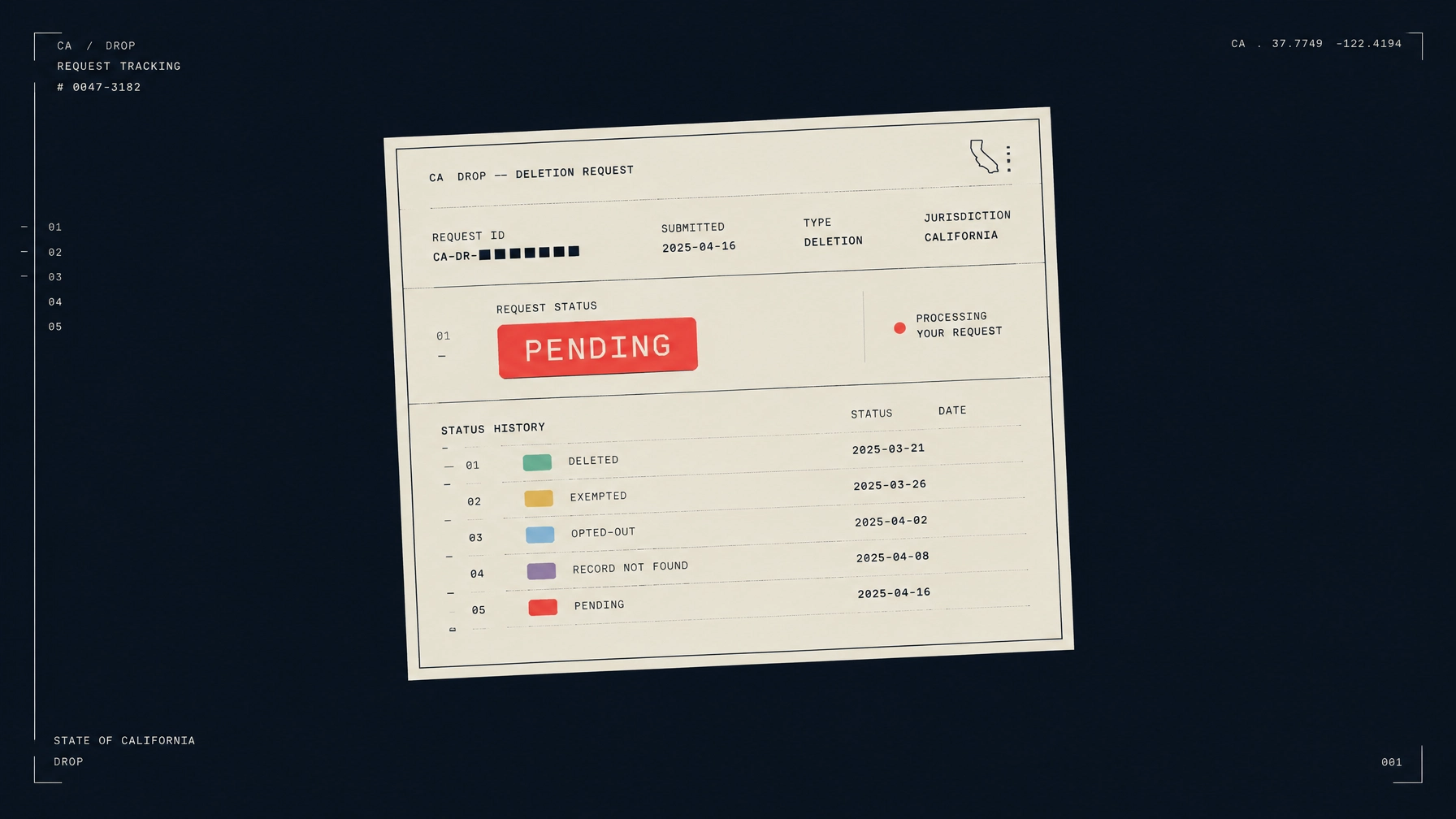
You submitted a California DROP request, received a DROP ID, and now the status screen says “pending.” That can be normal. Here’s what each California DROP request status means, when to check again, and what you can do if a broker could not match your information.
DROP is California’s Delete Request and Opt-out Platform. It is run by the California Privacy Protection Agency, known as CalPrivacy, under the Delete Act (SB 362). It sends requests to more than 650 registered data brokers. Only California residents can use it.
Keep your DROP ID safe
Your DROP ID is an 8 to 10 character code issued after you submit a request. You can also receive it by email. You need it to check or edit your request, so keep it somewhere private. Do not share it.
Check your status at the DROP status portal. If you lose your code, use CalPrivacy’s DROP ID recovery page.
Why your status may stay pending
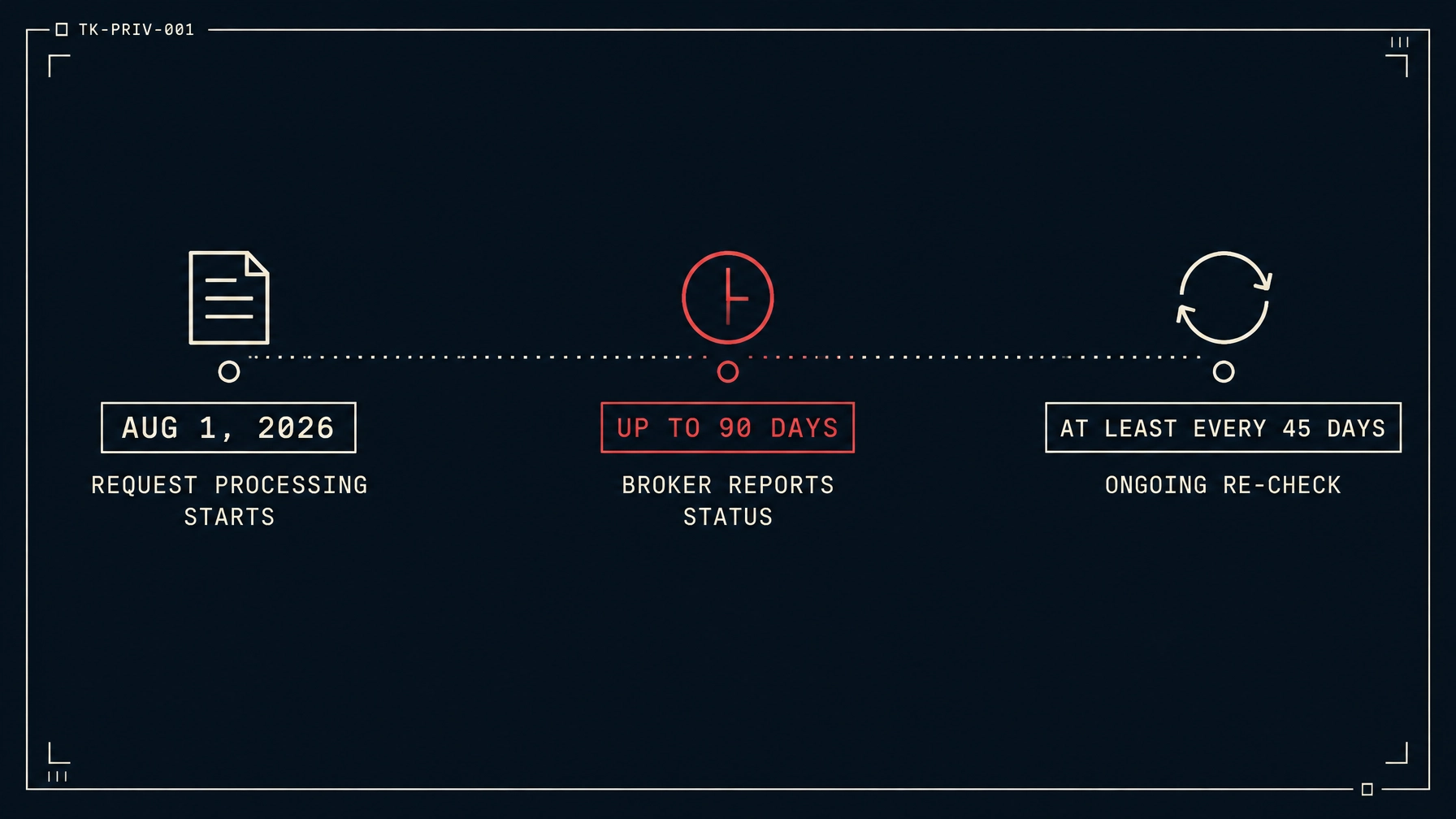
Data brokers began processing DROP requests on August 1, 2026. They have up to 90 days to report how they processed a request. That means a “pending” result can remain visible for a while, even after you submit your information.
There is a two-step process behind a DROP request. First, California residency is verified through the California Identity Gateway. DROP stores only whether your residency was verified, not the documents or personal information used in that step. You may therefore need to enter some details again when you fill out the request itself.
What the five statuses mean
CalPrivacy reported that more than 550,000 Californians had signed up for DROP by the beginning of October 2026. In the first three months of processing, 99% of consumers had their information deleted by at least one data broker, and 70% had it deleted by 100 or more brokers. These are CalPrivacy’s figures for that period, not a promise about any individual request.
You may see different results from different brokers. CalPrivacy describes five statuses:
- Deleted: The broker matched your information and removed non-exempt personal information.
- Exempted: The broker has your information but may keep all of it under one or more legal exemptions.
- Opted-out: The broker could not make an exact match. It still has your data, but it can no longer sell or share it.
- Record not found: The broker either has no information about you or could not locate you using the information in your request. This does not confirm that the broker has no information under different details.
- Pending: The broker has not processed your request yet.
A mix of results is normal. “Deleted” is the clearest indication that a broker found and removed non-exempt information. “Opted-out” means your data remains with that broker, but the broker may no longer sell or share it. “Exempted” means the broker may retain all of the information covered by that result.
For details about how DROP works and its results, see CalPrivacy’s FAQ and How DROP works.
Do you need to submit another request?
No. You only need to submit your DROP request once. After initial processing, brokers must re-check for and delete new matching data at least every 45 days.
A status can change over time. For example, a broker that reports “record not found” today may later find a match as it acquires more data. It can then report “deleted.” You do not need to submit a new request for that to happen.
Check your status occasionally using your DROP ID. A monthly check is a practical way to keep an eye on changes without needing to check every day.
Add identifiers to help matching
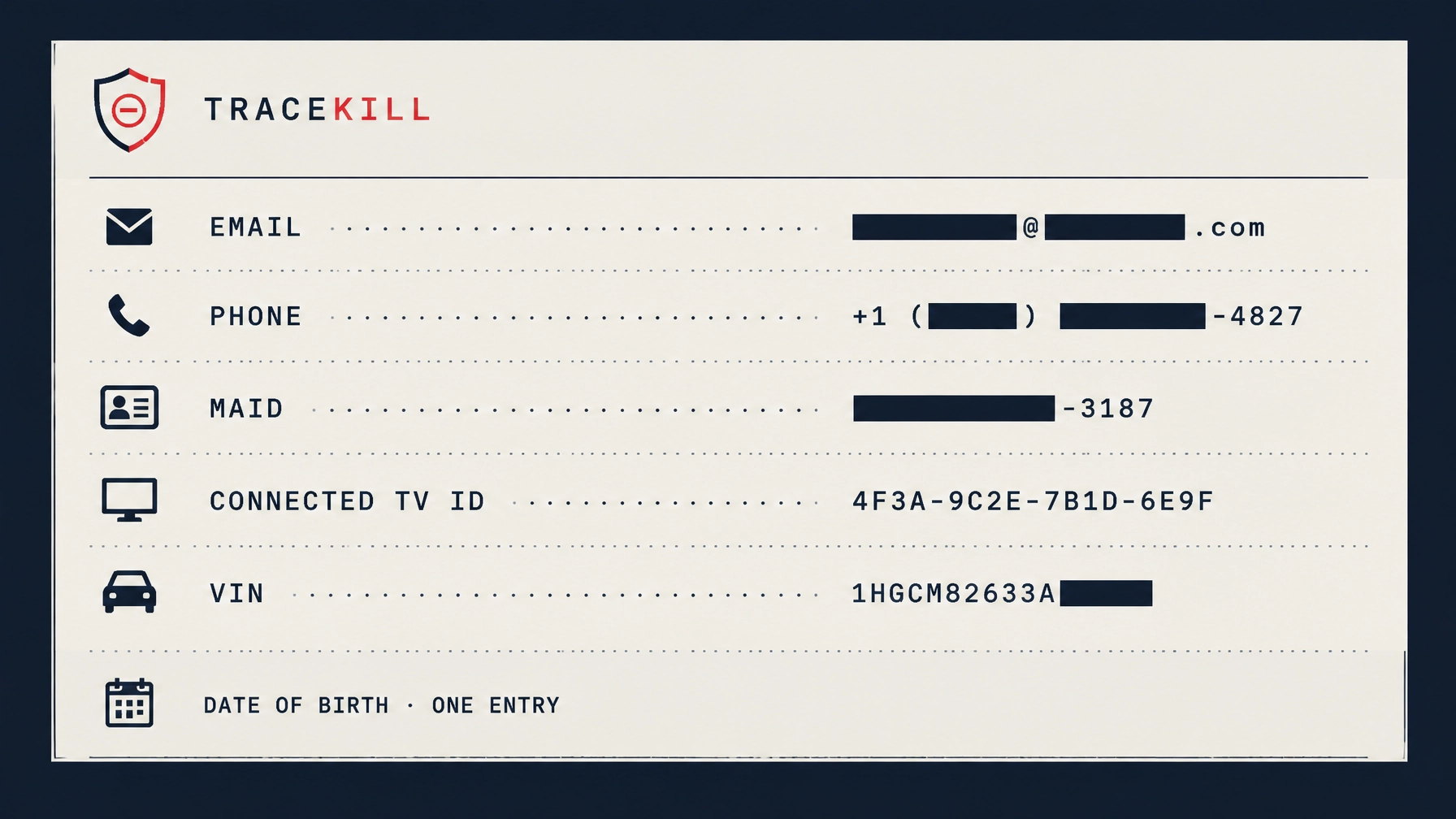
If a broker reports “record not found” or “opted-out,” you can review your request and add identifiers that may help brokers match your records. These can include additional names, such as a maiden name, email addresses, phone numbers, a Mobile Advertising ID (MAID), a connected TV ID, or a vehicle identification number (VIN).
More identifiers may improve the chances of a match, but do not guarantee one. CalPrivacy says date of birth cannot be added more than once. You can also exclude specific brokers from receiving your request on DROP’s data broker list page.
What DROP does not cover
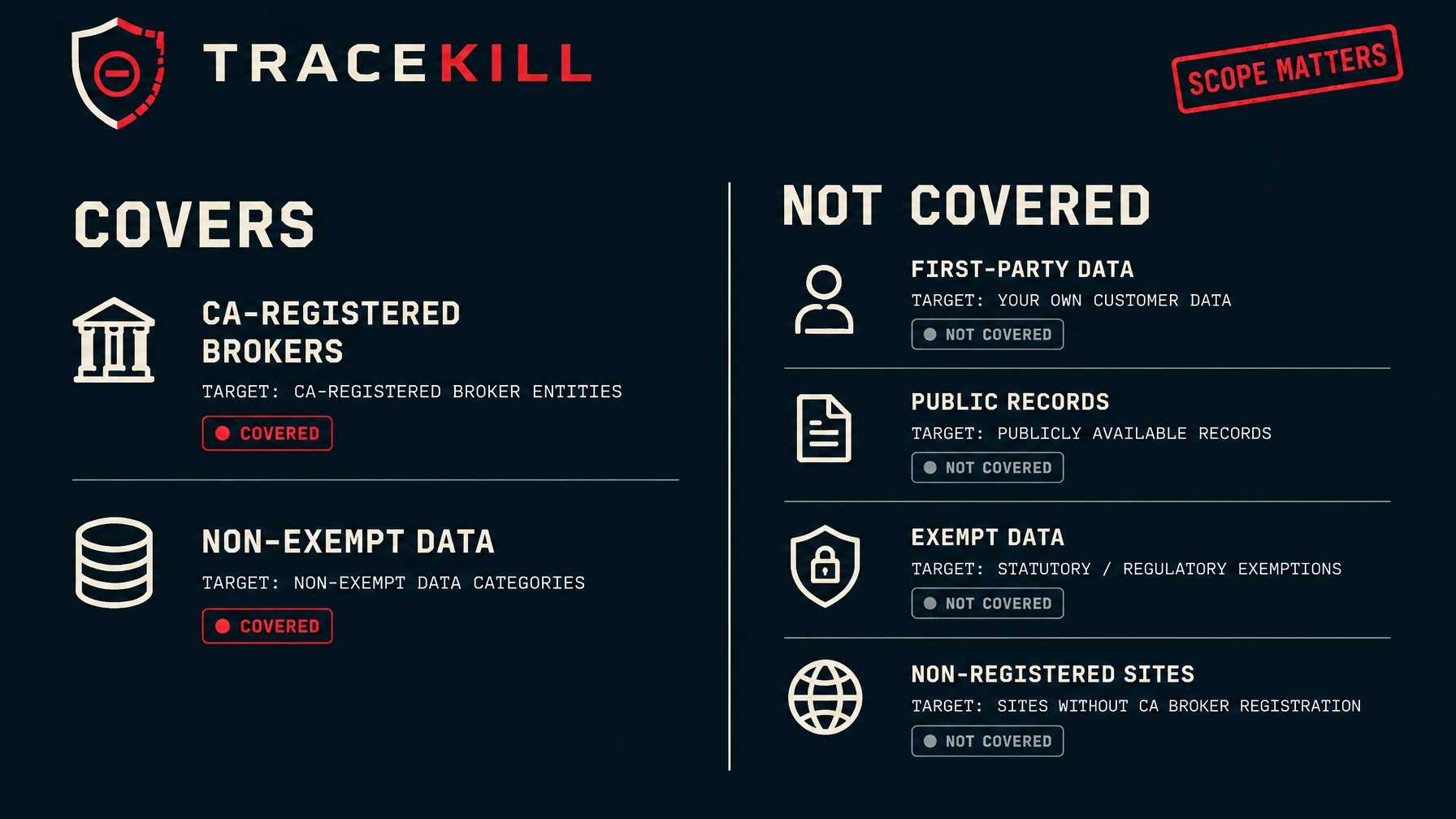
DROP applies to California-registered data brokers. It does not remove information you gave directly to a business, data that is exempt from deletion, or publicly available information such as public records. It also does not remove your information from non-registered sites or change search results.
DROP is for California residents only. If you do not qualify as a California resident, you cannot use DROP to submit a request.
These limits matter when you review your results. A broker may keep information for an exemption, and information on other sites may not be covered by a DROP request.
If a broker may not be complying
The Delete Act provides for a penalty of $200 per day, per consumer, when a broker fails to delete information as required, plus CalPrivacy’s investigation and enforcement costs.
If you think a broker has not followed the requirements, contact CalPrivacy through its official channels and provide the relevant details. Keep your expectations measured: a complaint does not guarantee a particular outcome. The CalPrivacy DROP FAQ explains the enforcement provisions.
Check for exposure beyond DROP
DROP and TraceKill do different things. DROP sends requests to registered California data brokers for eligible residents. TraceKill checks monitored data broker and people-search sources for likely public profile matches. The free scan is available whether or not you live in California and whether or not you have used DROP. Results vary by source, and a scan is not a complete inventory of every site that may hold information about you.
Start a free TraceKill scan to check monitored sources for likely matches. No account or payment card is required for the scan.
If you want help with supported opt-out requests, TraceKill’s $9.99 removal guide provides steps you can follow yourself. The $8/month monitoring plan offers supported opt-out help and monthly re-checks where public verification is available. Listings can reappear, so re-checks matter. Coverage, results, and processing times vary by source.
You can review the service at TraceKill.com or browse more privacy guides.
Last verified: November 2026. Broker opt-out processes change often — confirm the current steps on the live page before relying on them.
Free scan — no account required
This is one site. There are hundreds more.
Run a free scan to see which monitored sources list you — no card, no account, results in real time as each broker reports back. Do the opt-outs yourself with our guides, or let us file them for you on a paid plan and re-check month after month. We'll never tell you we erased you from the internet.
No credit card · No account · AES-256 encrypted
Keep going
What Happens to Someone’s Personal Information After They Die?
After a death, families are already handling paperwork and practical decisions. Then a search of the person’s name may bring up social profiles, people-search listings, old addresses, or photos. These can remain online because accounts stay open, data brokers retain profile information, and public records generally remain available. Some of this information can be addressed.…
Selling Your Home? Your Old Address Could Remain Online Long After the Sale
You sold the house, moved, and months later a search of your name still shows the old street. That can happen because a sale creates public records, and other websites may copy or combine information from them. You can take steps to address some of those online copies. The right step depends on where the…
A Data Broker Rejected Your Removal Request. Here’s What to Do
You submitted an opt-out request, received a rejection, or heard nothing back. The listing is still there. That does not always mean you are out of options. Most rejected opt-out requests fall into four categories. The first three are often fixable with a careful follow-up. The fourth may not be: a site might have a…